
What is Remote Database Access?
Note: This is for advanced users only.
By default, MySQL databases on your hosting account can only be accessed from the same server. Remote Database Access lets you whitelist external IP addresses or hostnames so that applications on other servers - such as local development environments, external apps, or remote scripts - can connect directly to your databases.
- Log in to your Hosting Australia account and navigate access the cPanel service for the domain you wish to add access to. See here for details on how to access cPanel.
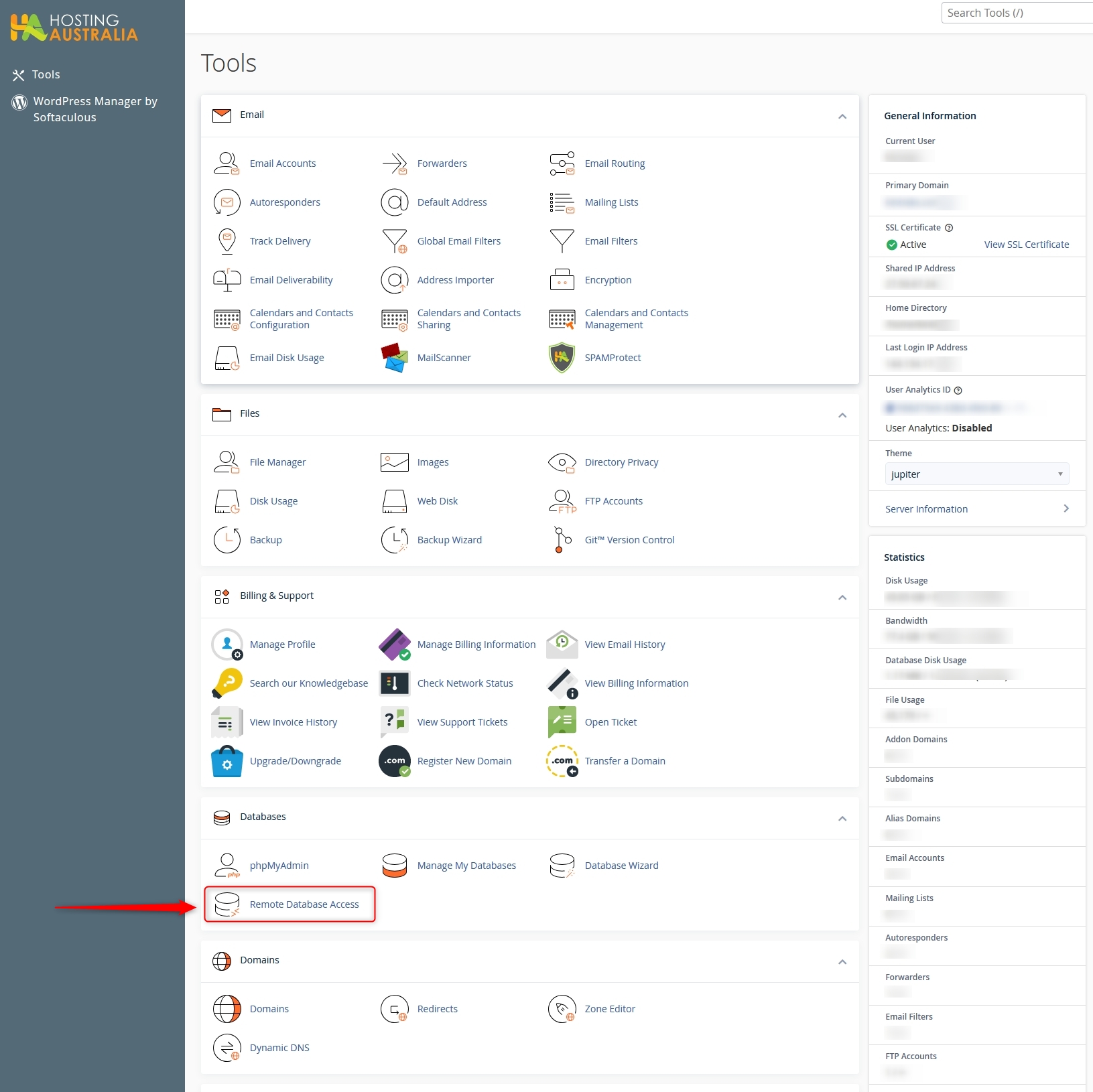
- In cPanel, under the "Databases" section, locate and click on the "Remote Database Access" link.
- Enter the Host value - which will generally be an IP address of the device/server/platform you are connecting from. Its also a good idea to enter a comment, describing what the connection is.
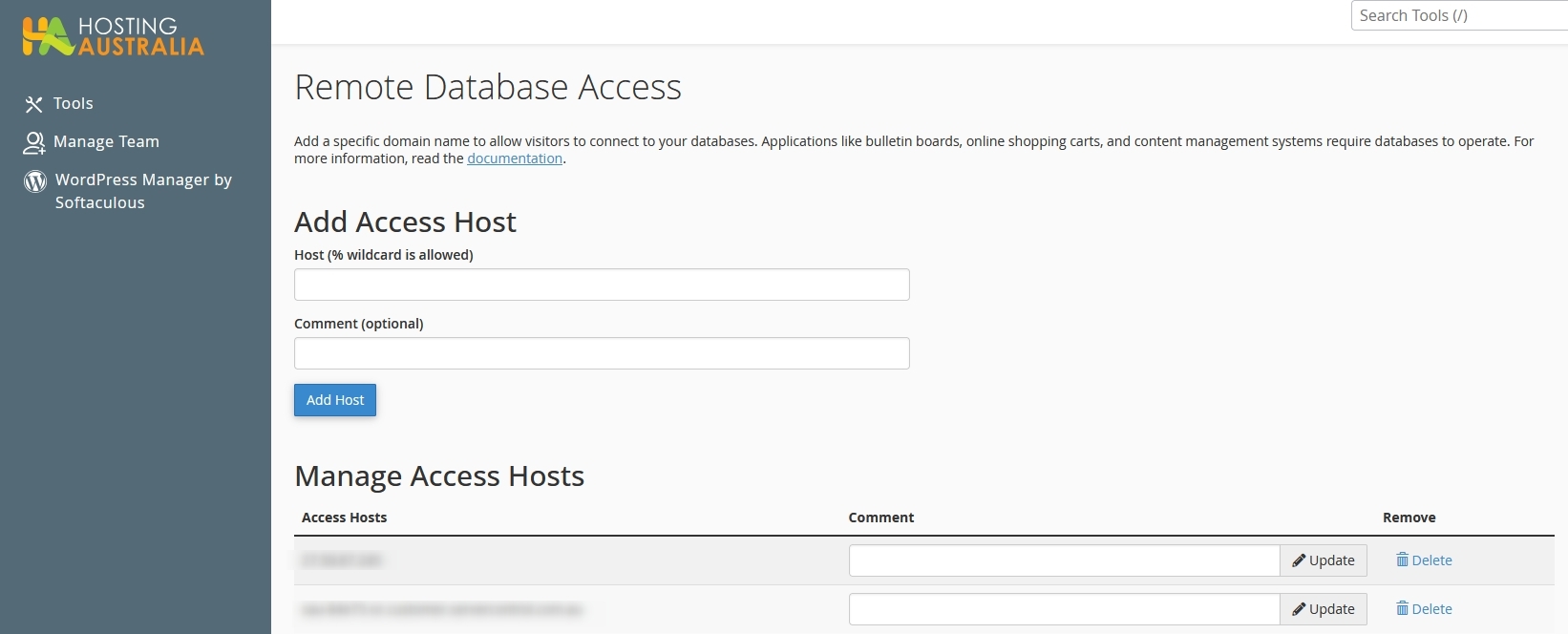
- Click "Add Host" and confirm the details appear in the list of Access Hosts. You can also click the "update" button to edit existing entries, or "delete" to remove entries that are no longer needed.