
To edit a DNS zone for a reseller client, please follow the below steps:
- Login to your WHM (see here for details on how to do that).
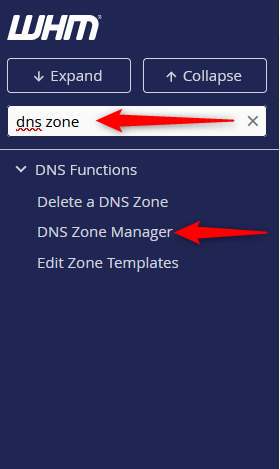
- Once logged in, enter DNS ZONE in the search box on the left hand side and click DNS Zone Manager.
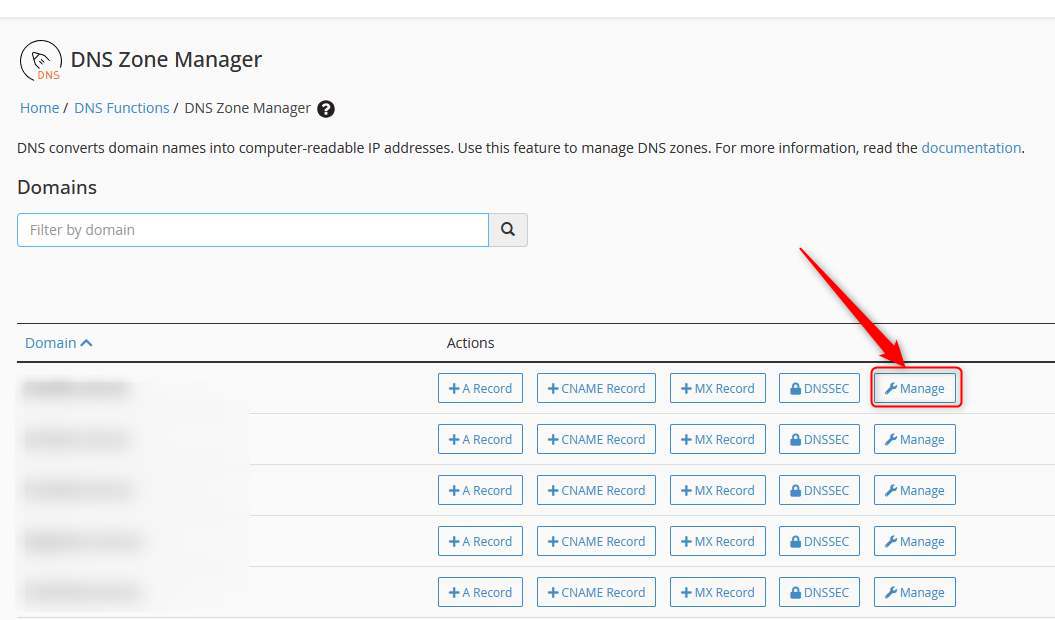
- In the DNS Zone Manager screen, click MANAGE next to the domain you wish to enter.
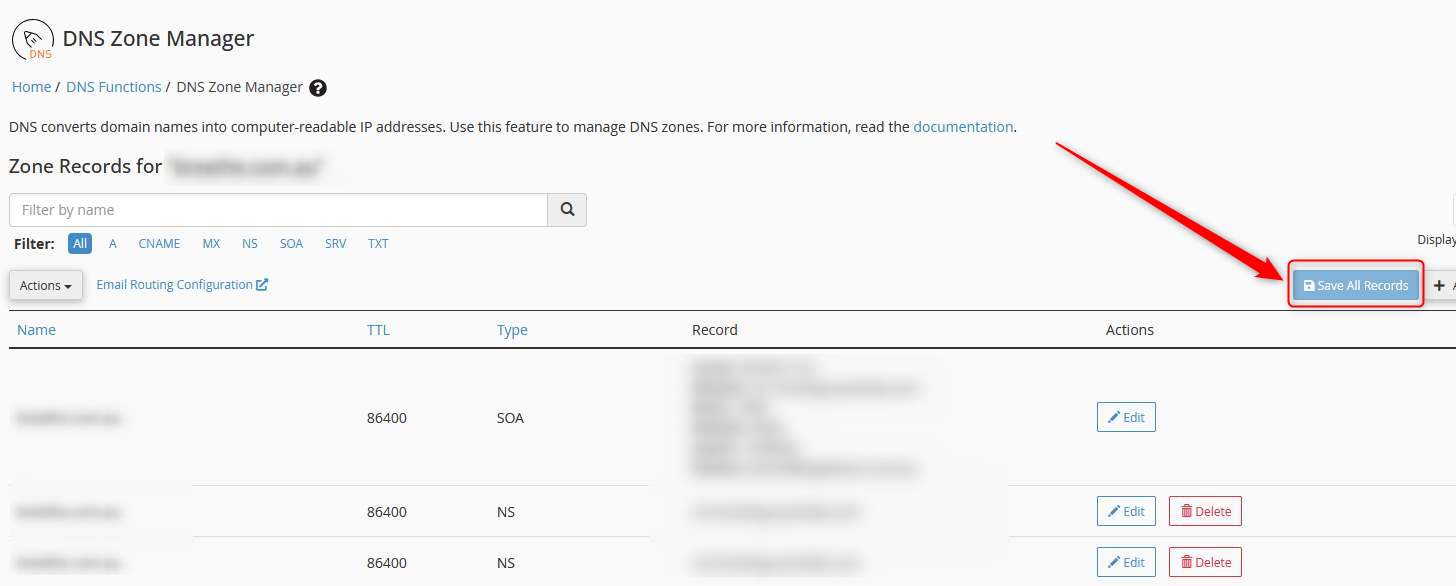
- Add or edit the records as needed.
- When complete, click SAVE ALL RECORDS from the top right.
Please note: Records can take from 1 to 4 hours to update.